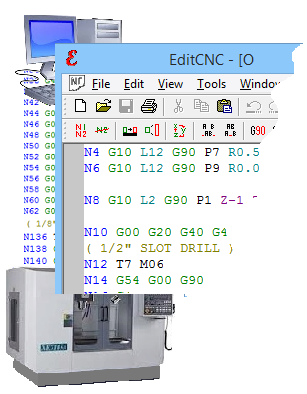
EditCNC - CNC editor with DNC software
 
EditCNC is the perfect companion to your CAD CAM software
write, edit and up/download CNC programs quicker and easier with EditCNC!!

Click to see a screenshot
Screenshot


Download
your FREE thirty day trial.


Features
what can you use?


Testimonials
see what users of our software say.


Awards
Awards for our software.

EditCNC includes many powerful features designed purely for CNC programming and editing, and the DNC software to transfer the g-code files to/from your CNC machines.

  • Block numbering and renumbering in all or part of the file
  • Mirror any or all axes in all or part of the file
  • Scale any or all axes in all or part of the file
  • Add or subtract values to any or all axes in all or part of the file
  • Remove spaces to minimize file size, or insert spaces for easy reading
  • Custom syntax coloring for easy reading of the code
  • Switch axes, X to Y, Y to Z, etc
  • Switch between Absolute and Incremental coordinates in all or part of the file
  • Work envelope: show maximum axis travel
  • Save often used segments of CNC code in an easy to use library
  • Quickly search through your CNC files using keywords contained in the files
  • File up/download and DNC
  • Calculator for speeds and feeds, trigonometry and more
  • Light version of Machinist's Calculator for your Palm or Pocket PC

    Go to the features page for full descriptions

Plus the basic features you'd expect from any editor of this quality, such as search & replace, multiple undo/redo, multiple open files, file size limited only by the capacity of your computer, etc.

Use EditCNC as part of your arsenal of CNC programming tools!
EditCNC is a great tool for tidying up your CAD/CAM or MDI generated programs. And if you can't yet justify the cost of CAD/CAM, you'll find EditCNC a great tool for writing G-code programs from scratch!

Experienced programmers know that different types of jobs require different methods for the most efficient programs. Sometimes it's your full blown CAD/CAM, sometimes MDI, and sometimes it's an editor on your PC - or a combination. Much basic CNC programming can be done faster and easier just by writing the g-code. EditCNC makes that even easier!

Why use EditCNC?

  • EditCNC was designed with the small to medium sized jobbing machine shop in mind (although, several quite large companies use many copies, see our testimonial page).
  • Instead of using your CAD/CAM for CNC programming from start to finish, write the easy bits with EditCNC, and paste the post-processed sections in. Click here to see some examples of saving time (therefore money!) by combining EditCNC and your CAD/CAM.
  • You write your quick little programs with Notepad™, or some other freeware text editor? Download EditCNC's free thirty day trial, and see if it doesn't make a huge difference, even with the simplest g-code writing and editing tasks!
  • With the Machinist's Calculator and ConnectCNC file transfer/DNC included, we have endeavored to make EditCNC the best value CNC programming software of its kind you can get!
Check through our website for information about our free fully-functional demo, information about our Company, and, once you've tried our CNC programming software for up to thirty days, how to order. The price of EditCNC is $193.00. See our Purchase information page for quantity discounts.
 

Site Map
 ©Copyright CNC Consulting 1996-2008
Minimum system requirements for our software:
Any computer with Windows95 v950B or higher(32 bit), 98, ME, 2000 XP, NT, Vista.
Hardware requirements will depend on the size of CNC files processed with EditCNC and ConnectCNC.
However, ConnectCNC requires at least one serial COM port, or USB/RS232c port converter.